This is the second installment of Tested — a series where I put AI tools through their paces in real marketing workflows. First up was Perplexity. This time: Canva AI 2.0.
Last month, Canva held its annual Canva Create 2026 event in Los Angeles and announced what it’s calling its “most significant evolution” since the company launched in 2013.
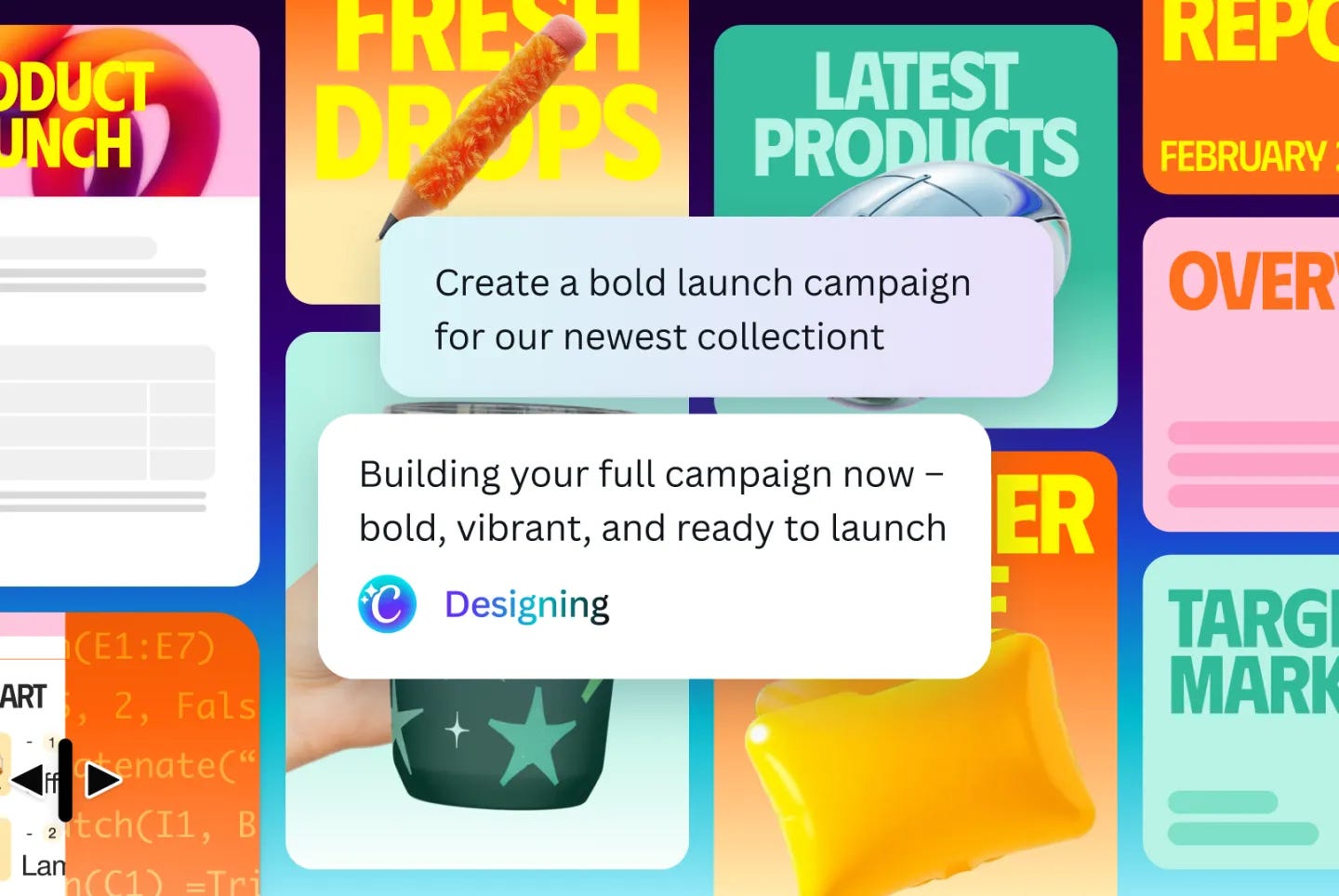
The pitch: Canva AI 2.0 isn’t just a design tool with AI bolted on. It’s a “conversational, agentic platform” — one that can interpret your intent, coordinate its own tools, and take an idea all the way to a finished campaign without you doing the template-hunting, layout-nudging, copy-tweaking dance.
Before I get into it, a bit of context. I’m a marketer now, but I actually had a (very short) freelance design career for about a year before I made the switch. I’d like to think I come at this with an eye for what good design looks like. And what’s clear to me, watching Canva AI 2.0 land, is that design — like many other areas of skilled work — is changing in ways that can’t be ignored. Businesses, marketers, and designers are all going to need to evolve. The question is how fast, and on whose terms.
First, a quick orientation on the headline features of Canva AI 2.0:
Conversational design: Generate fully structured, editable designs from natural language prompts, with context maintained across iterations.
Agentic orchestration: AI that interprets your intent and coordinates Canva’s tools automatically; give it a brief, get a full campaign across formats.
Living memory: Persistent knowledge of your brand preferences, guidelines, and past work that adapts outputs over time.
Object-based intelligence: Granular edits to individual elements without disrupting the whole design.
Connectors: Integrations with Slack, Notion, HubSpot, Gmail, Google Drive, and more.
Web research: Real-time research pulled directly into design workflows.
That’s… a lot of surface area, so I’m focusing on three things most relevant to my actual workflow.
Use case 1: Conversational design
The task: Build an Instagram carousel for How Marketers AI — topic, layout, copy — without touching a single template.
This is the flagship 2.0 feature. Instead of browsing templates and customising, you describe what you want and Canva generates a fully structured design.
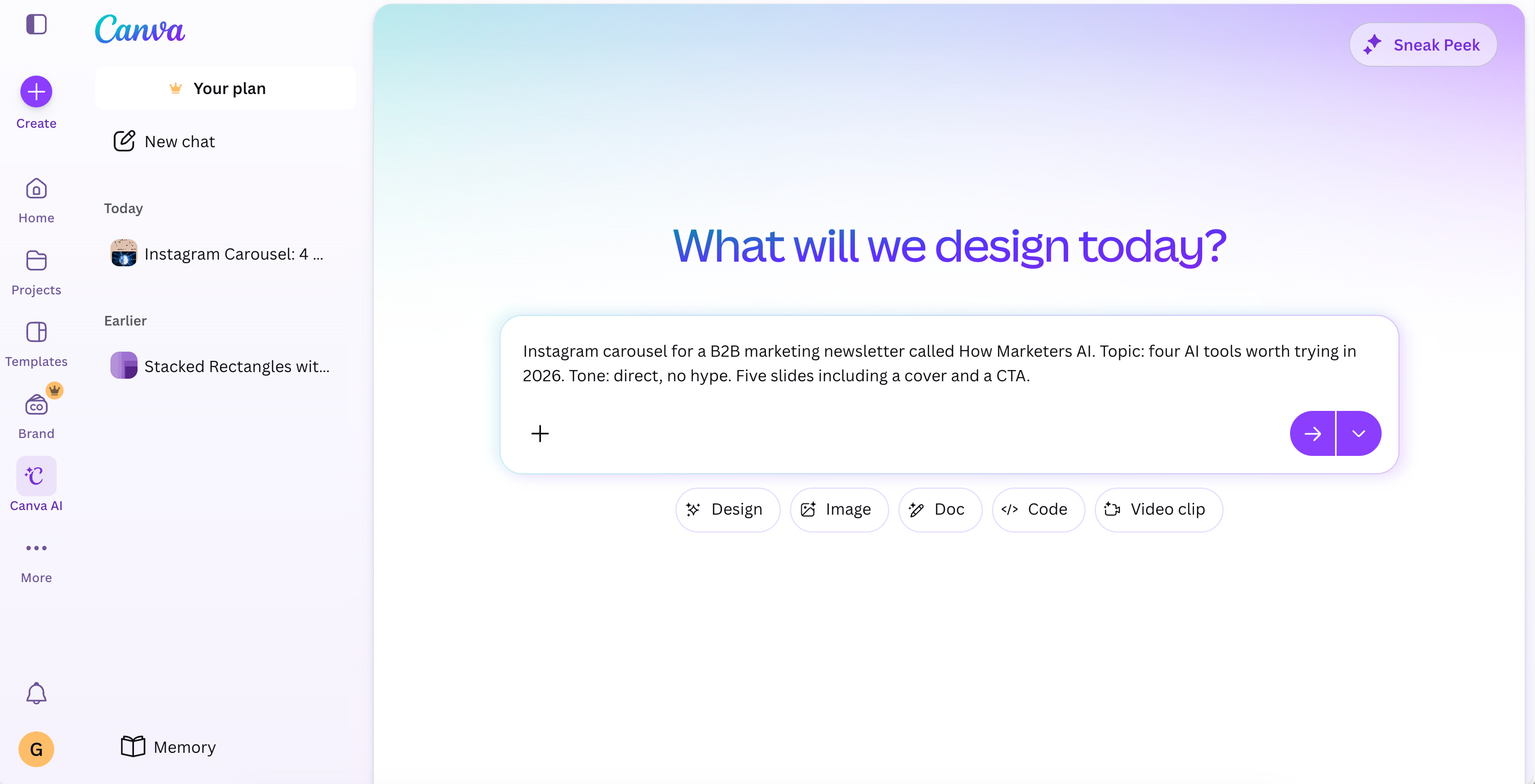
I typed: “Instagram carousel for a B2B marketing newsletter called How Marketers AI. Topic: four AI tools worth trying in 2026. Tone: direct, no hype. Five slides including a cover and a CTA.”
What came back in about 30 seconds was a five-slide carousel with layout, placeholder copy, colour blocking, and stock graphics. It looks fine, but it wasn’t quite the style I was looking for, so I made some iterations.
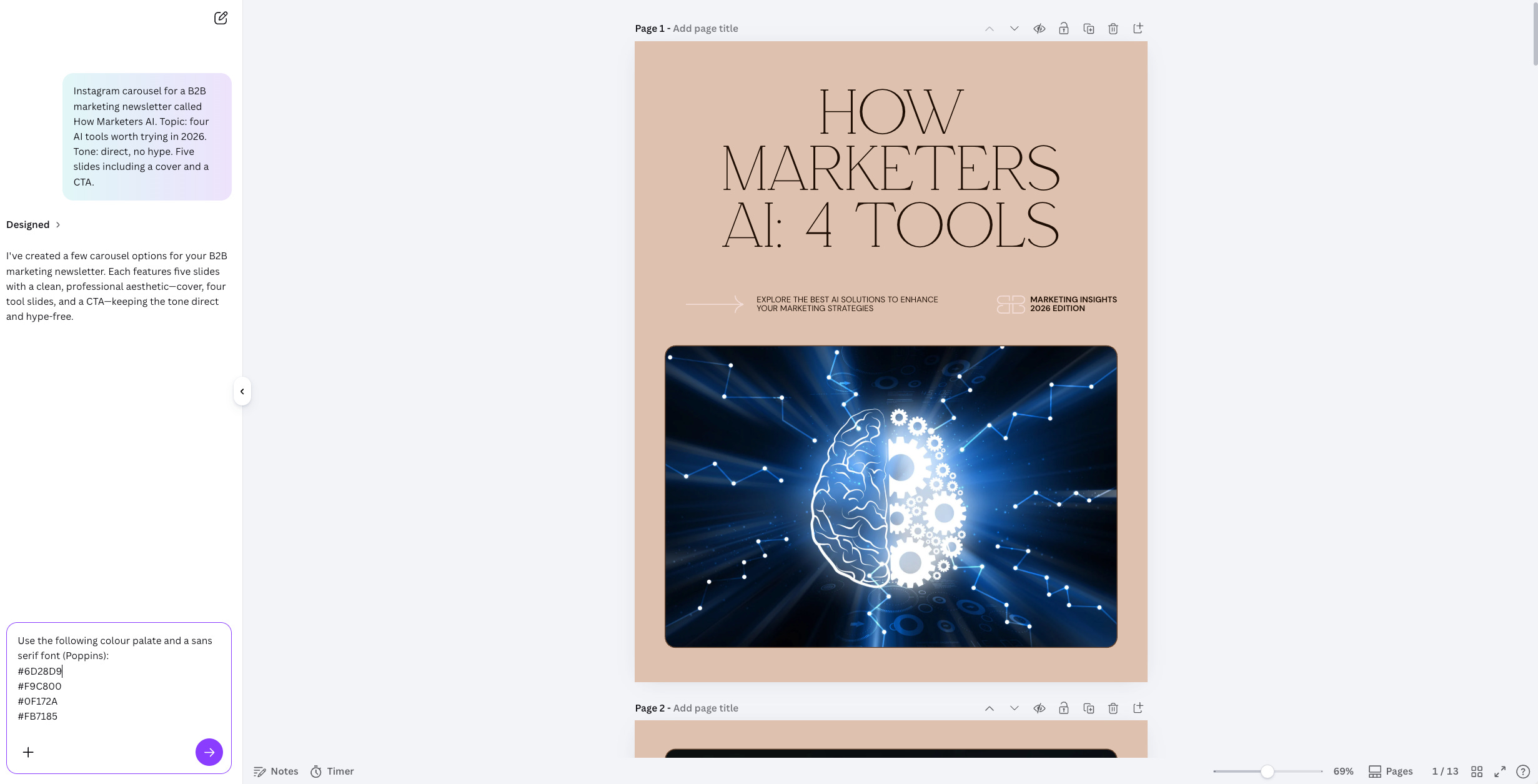
I asked it use the general colour palate for my newsletter and to change to a sans serif font that I like to use called Poppins. The output is more in line with my initial brand guidelines but I thought it looked rather dull — nothing a few more prompts couldn’t fix. 2.0 held the thread well throughout the chat, and the context-persistence across edits is genuinely new behaviour, while old Canva AI would just generate and forget.
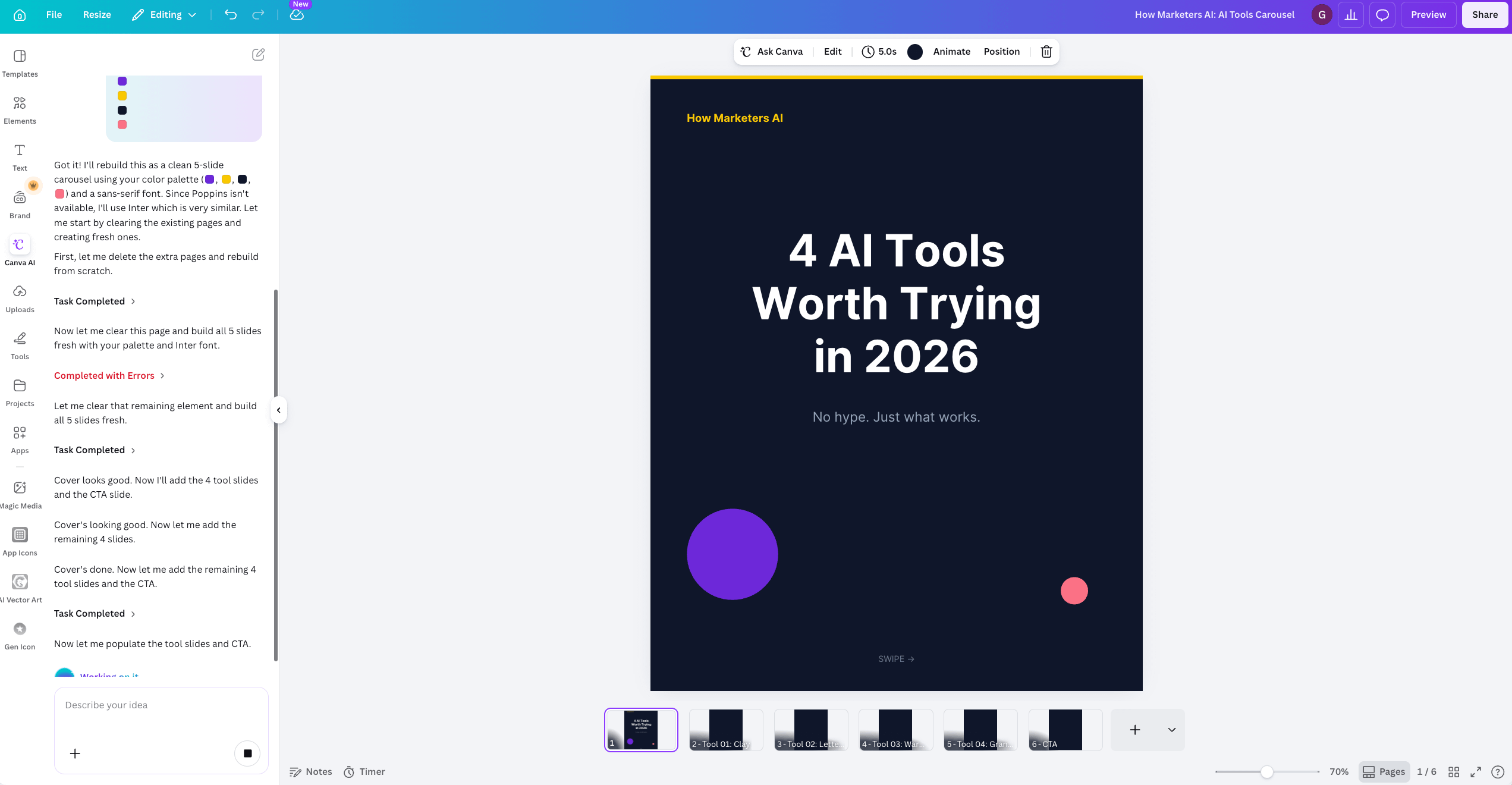
Verdict: The time saving is real, and conversational design gets you 70% of the way there faster than templates. But the quality ceiling matters, and the other 30% is still on you. Think of it as skipping the blank page and the template hunt — not skipping the design judgment.
Use case 2: Agentic orchestration
The task: Give Canva a single campaign brief and see what it produces across formats. For this task, I requested assets for a fictional fintech company called PayFlow, with this prompt:
Product: PayFlow — a B2B payment automation platform for SMEs in Southeast Asia
Positioning: PayFlow eliminates the manual work behind business payments — reconciliation, approvals, multi-currency transfers — so finance teams can close the month in hours, not days.
Audience: Finance managers and CFOs at mid-sized SMEs in Singapore, Malaysia, and Indonesia. They're managing cross-border payments manually, tired of chasing approvals over WhatsApp, and sceptical of solutions that promise simplicity but require six months of implementation.
Key message: Your payment stack shouldn't slow you down. PayFlow automates the entire payment workflow — from invoice to reconciliation — so your team stops doing finance admin and starts doing finance.
Tone: Direct, no fluff. Confident without being salesy. Peer-to-peer, not vendor-to-customer.

Outputs needed:
- LinkedIn social post announcing PayFlow's launch
- Email header for a campaign targeting finance managers
- One-pager overview for a sales meeting leave-behind
One of the most ambitious claims in the 2.0 announcement: describe a campaign and the AI coordinates across Canva’s tools to produce outputs. I tested it with a brief for a fictional fintech event — positioning statement, audience, key message — and asked for a social post, an email header, and a one-pager.
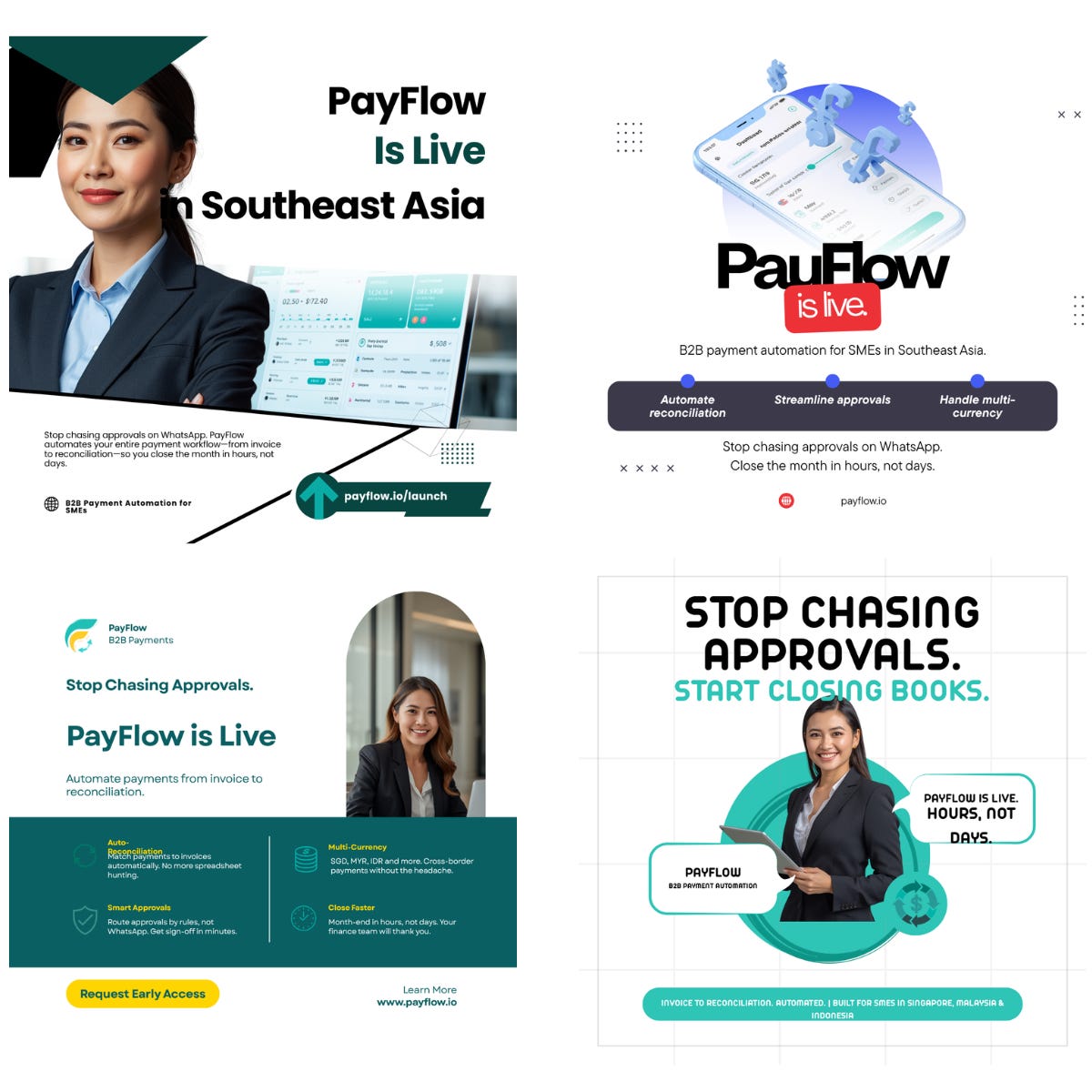
The results were mixed in an instructive way. It gave me four different design styles for the social post and asked me to give feedback on which I liked best before creating the rest of the assets. The socials were generally solid, the email header was generic but usable with some work, and the one-pager had good visual hierachy, wasn’t too busy, and had decent copy too.
The coordination was generally good: three different asset formats from one brief, without me switching between templates or rebuilding from scratch each time. The assets felt like a campaign, even when it had to output multiple formats.
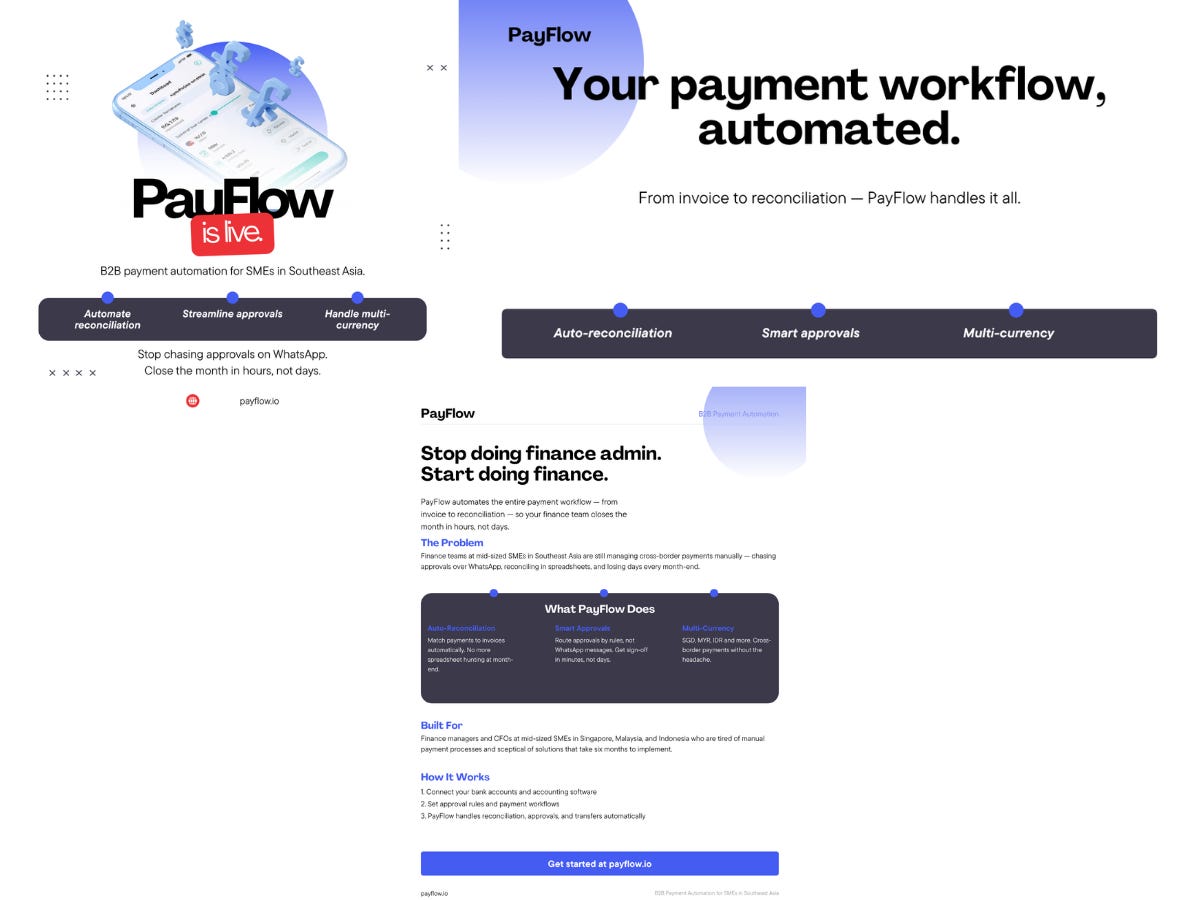
Verdict: The whole task took maybe 13 minutes including refinements on the social post. Genuinely useful for first-draft campaign assets and rapid internal ideation, but probably not ready to hand to a client or run as-is. The orchestration works, but the polish doesn’t at this stage without manually editing. That said, it’s so much better than building each asset separately from templates.
Use case 3: Web research in workflow
The task: Generate a research-backed presentation for PayFlow about fintech payment automation trends.
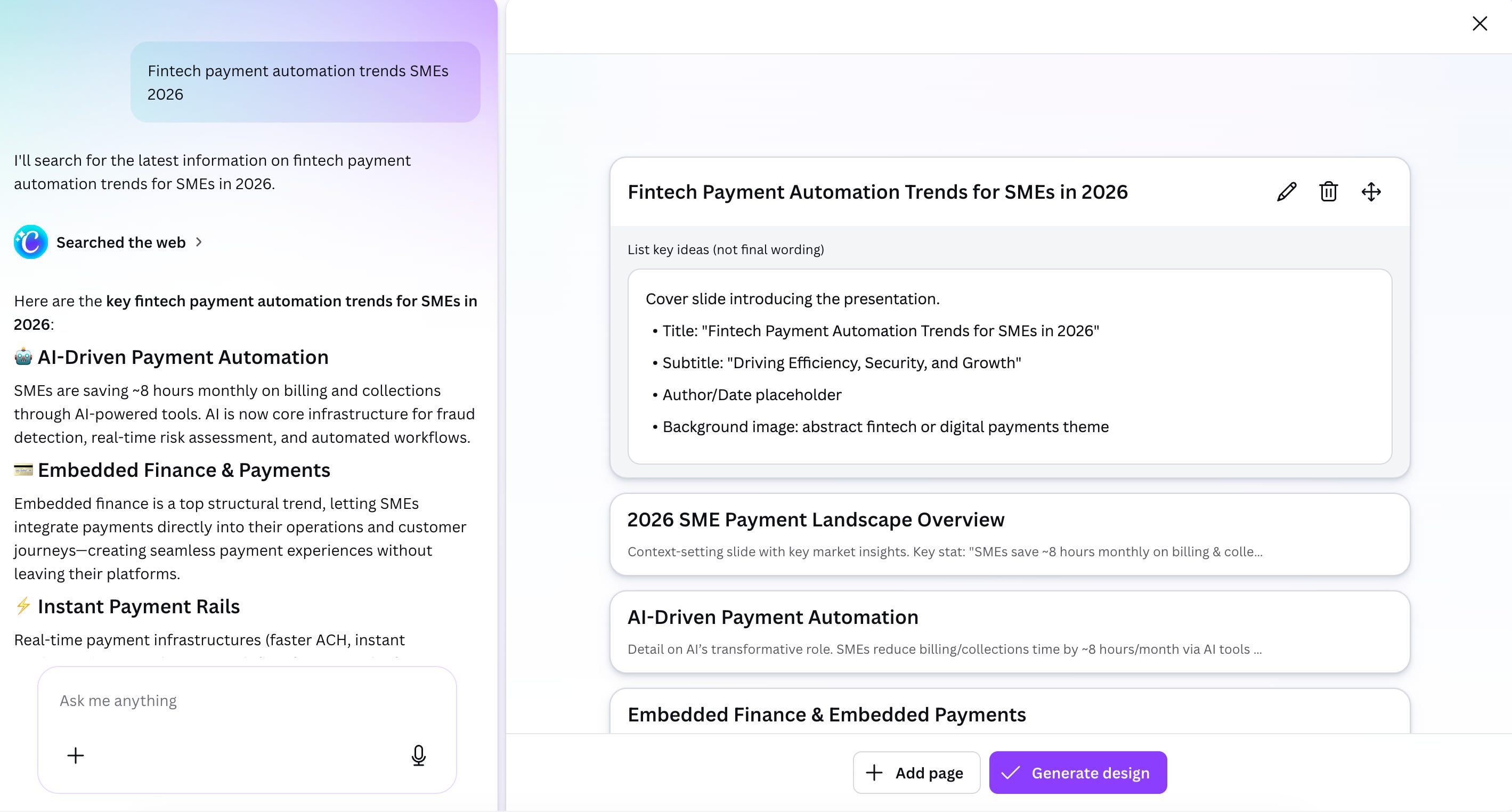
Canva 2.0’s Web Research feature pulls real-time information directly into designs, so I asked it to pull recent stats on SME financial services trend for a deck.
It surfaced five data points with source attributions, planned them out for me and asked if I was happy with the presentation structure before formatting them into the slide.
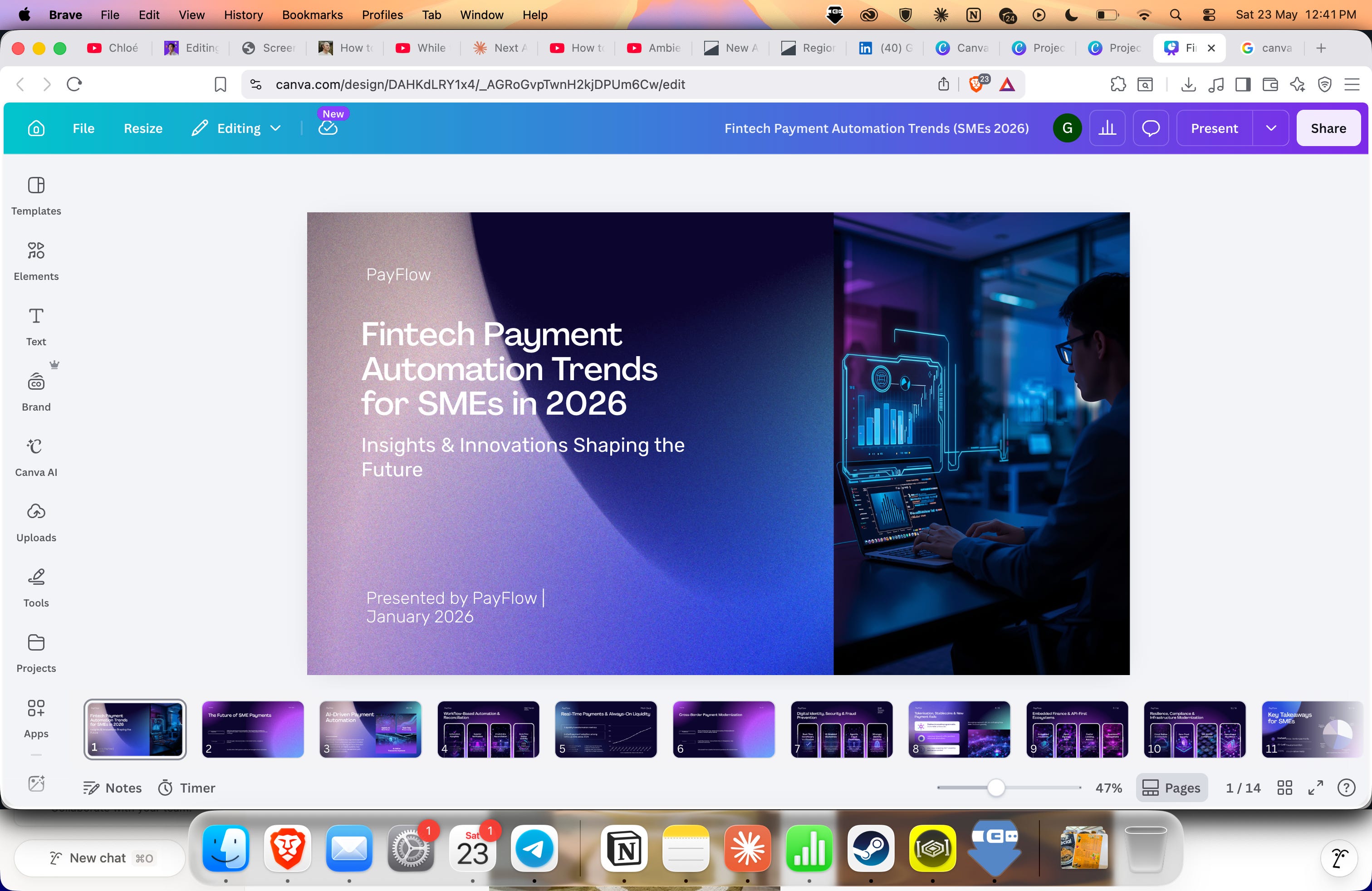
The sources were real — I checked — and the stats were accurate, but the APAC specificity was limited, as expected. It’s a similar limitation to what I flagged in the Perplexity piece, that AI still seems to have issues with pulling out quality and comprehensive data, so the deck ended reading quite generic.
That said, Canva’s real value is in the design output. It took just a few minutes to pull out stats, do research, and whip up layouts for 10 pages that would honestly take me at least a few hours to design from scratch.
There’s also a lot of value in Canva 2.0’s living memory and brand intelligence feature — which learns your preferences, guidelines, and past work and applies them automatically. You’ll have to upload your brand colours, fonts, and three sample assets first, but it learns with every new design task you prompt.
Verdict: The compounding effect is real but slow. If you produce assets once a month, Living Memory won’t change your life. If you’re in Canva three to four times a week, the time saving stacks. It’s a long-term investment in a faster baseline — not an instant fix.
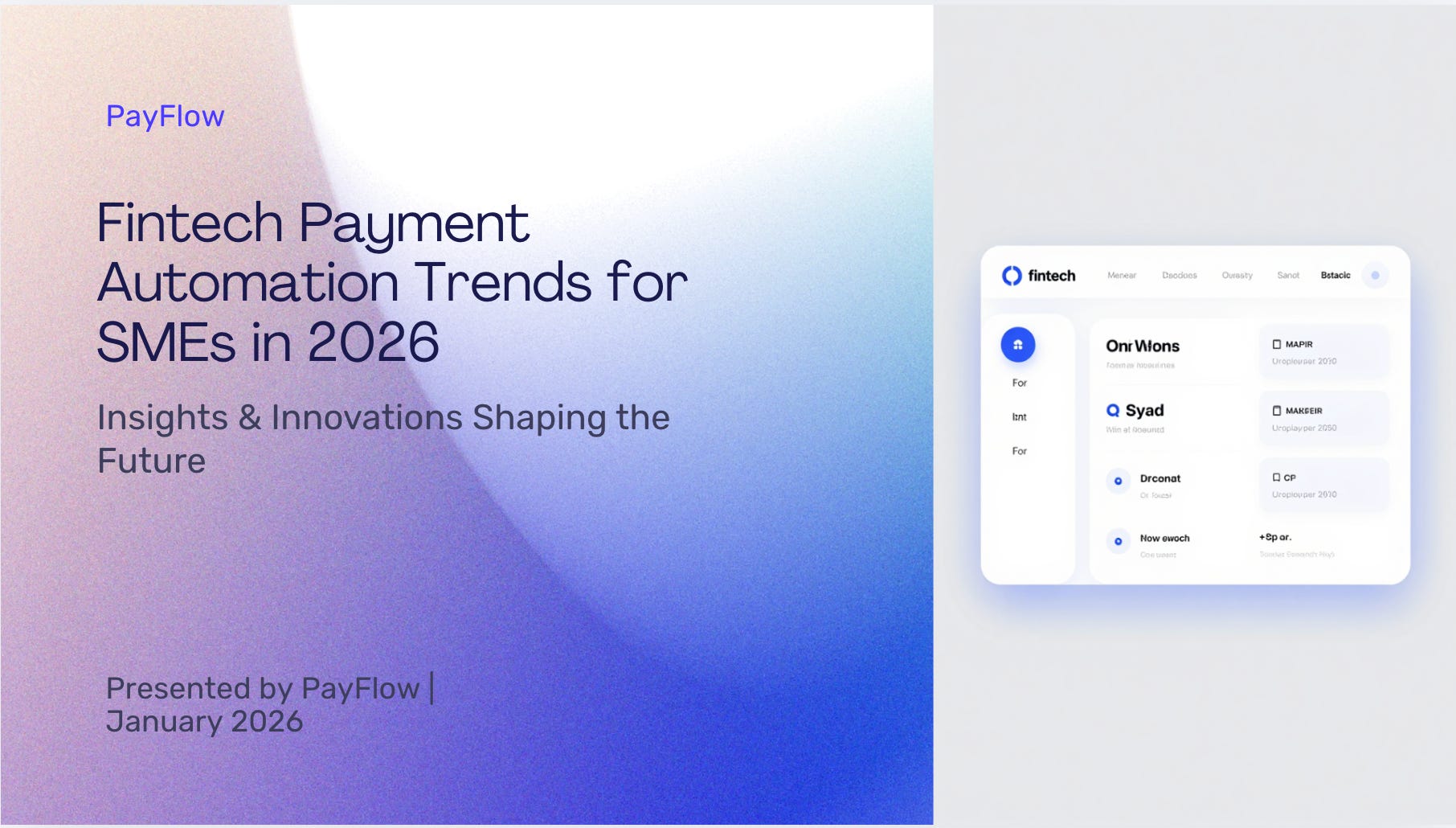
Verdict: The best surprise of the 2.0 update. Not groundbreaking, but eliminating the tab-switching between research and design genuinely compresses the workflow significantly and will probably save hours on your day. Data pulling and context input is definitely still needed from your end. The living memory is where it gets interesting, the longer you use it the better it gets.
What I’m learning after a day with 2.0
Conversational design kills the template hunt. That 90-minute asset build is now closer to 15. Not because the AI is doing everything, but because you’re no longer spending half your time browsing templates and nudging layouts.
Agentic orchestration oversells the output quality. Multi-format campaign generation from a single brief is genuinely impressive as a workflow, but the outputs still need significant editing. Canva is calling this agentic, but I’d call it a very good first draft machine.
Web research is the sleeper feature. Nobody’s talking about this one as much as agentic orchestration, but for marketers who regularly build decks or pitches with supporting data, eliminating the research-to-design context switch is quietly valuable. That said, always check the data and research output before pushing anything out.
Living memory gets better with use. Set it up, use it consistently, and your brand baseline improves over time. It’s not magic — it’s compounding.
It’s still Canva’s ecosystem. Every 2.0 feature is powerful inside the platform. The moment you need outputs that live somewhere else: editable source files, assets that need to go through a separate production workflow, the magic stops at the export button.
The verdict
Canva AI 2.0 is a meaningful upgrade. The features I tried generally all deliver real workflow compression for marketers who are already in Canva regularly.
If you’re already on Canva Pro, update your brand guidelines in the living memory today. The investment is less than 10 minutes and the returns are compounding. If you’re not on Pro yet, Canva AI 2.0 is the strongest argument yet for upgrading, but only if design is a regular part of your work, not an occasional one.
Next in the Tested series: TBD. What AI tool do you want me to put through its paces? Reply and let me know.
The AI;DR
Elsewhere in the AIverse
Google goes all-in on Gemini as your AI operating system. At I/O 2026, Google unveiled a wave of Gemini updates that signal where it’s headed. Spark is a 24/7 personal agent that proactively handles tasks across Google Workspace — with local computer access coming this summer. Omni generates cinematic video from any input. There’s also a new macOS app, a Daily Brief agent, and a redesigned interface, all running on Gemini 3.5.
Creatify Agent ships finished ads from a URL. Paste a product URL, and Creatify’s new agent handles the entire ad production loop — competitor research, video and image generation, and self-checking for quality. No brief, no back-and-forth, no production queue. If you’re running paid social and spending hours briefing a creative team for straightforward performance ads, this is worth a look.
Reactor wants to be the infrastructure layer for AI-generated worlds. The AI lab just launched a platform that lets anyone explore real-time AI-generated environments directly in the browser. They’re positioning themselves not as a consumer product but as the delivery infrastructure for real-time AI content. If real-time world generation becomes a content format — think interactive brand experiences, immersive product demos — the infrastructure layer is where the leverage sits.
Meme of the week